21/10/2026 23:14
Where Is the Full Setup Demo? YouTube Related Videos for Cambodian Folding-Ladder Shops
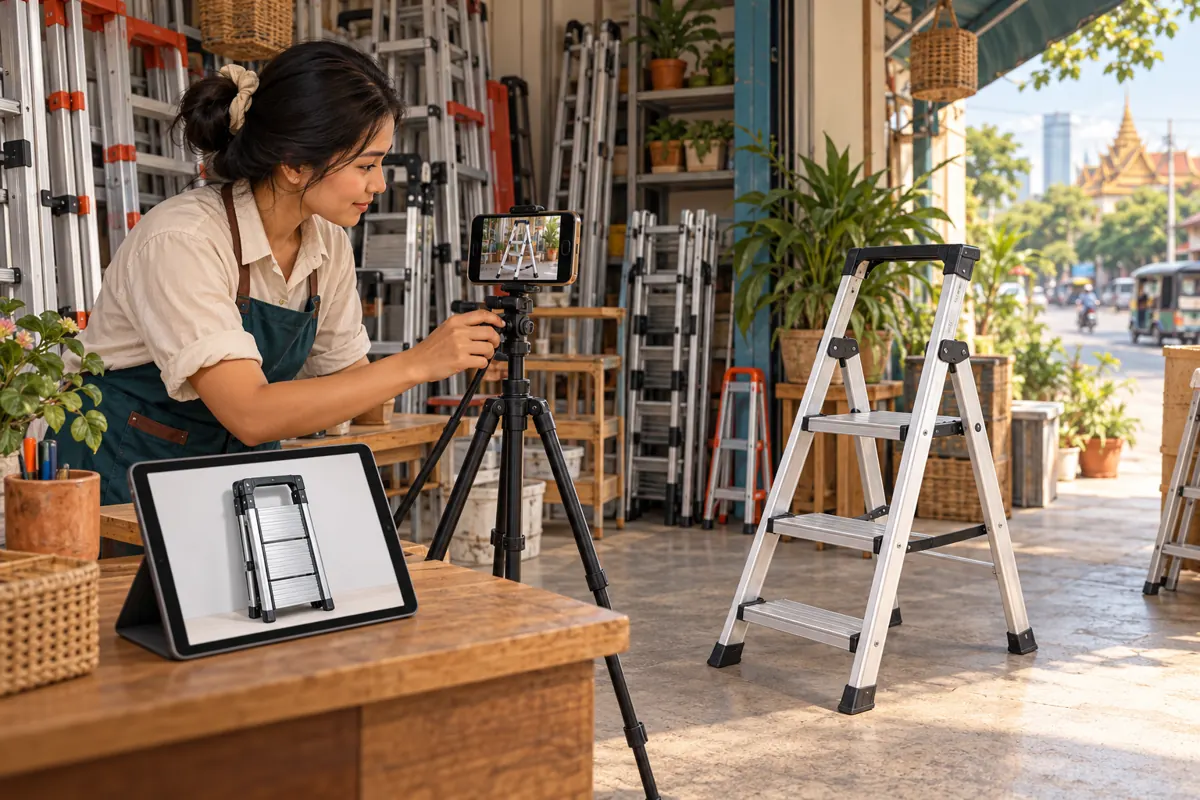
A short video can show that a ladder folds neatly beside a shop counter while leaving an important buying question unanswered: what does that exact model look like when opened? For Cambodian hardware businesses, the next useful step may be a complete demonstration rather than another attractive product montage. YouTube’s related-video feature offers a way to connect those explanations. This guide develops a practical workflow for choosing the destination, preparing both videos, checking the connection and reviewing promotion decisions. The shop situations below are hypothetical editorial examples, not customer reports or evidence of performance.
Start with the question the Short cannot fully answer
Imagine a hypothetical hardware shop in Phnom Penh preparing a Short about a compact folding stepladder. The clip clearly shows its folded shape and where the shop stores it. A prospective buyer, however, wants to understand the space it occupies when opened. Sending that person to a general shop tour creates extra searching precisely when the question is most specific.
Write one destination promise before editing: the next video will show this model opened, identify the relevant parts and explain its dimensions using verified product information. This sentence becomes the selection test for the related video. If the proposed destination cannot fulfil it, choose another recording or make the missing explanation first. A clear question gives the promotion work a practical purpose.
Understand the related-video feature before planning around it
YouTube Help says a related video can be added after uploading a Short. It must come from your channel, be public or unlisted, and follow Community Guidelines. Advanced feature access is required. Viewers see a clickable link beneath the channel handle in the Shorts player. These requirements make eligibility and destination selection the first technical checks.
Treat the feature as a connection between explanations. A folded-size Short can lead to an opening demonstration; a separate Short about identifying a model can lead to a model comparison. Choose the destination according to the question each clip raises. There is no editorial advantage in making every Short point to the newest upload when that upload answers a different question.
Prepare the complete demonstration first
Build the destination around the actual item the shop can identify and discuss. Show a clear overall view, identify the model consistently, and explain the difference between folded dimensions and the space occupied when open. Verify specifications against the manufacturer’s documentation. Avoid presenting an estimated working height or an improvised load test as a product specification.
For a hypothetical Battambang retailer, a useful recording might begin with the folded ladder beside the counter, then show its open footprint and finish with the information staff need for an enquiry. Follow the product’s instructions when demonstrating it. Keep the model visible during explanations, and retain any qualifications needed to understand a claim. Editing should make the explanation easier to follow without removing conditions that change its meaning.
Make the Short useful on its own
Give the Short one complete answer before asking viewers to continue. If its opening asks whether the ladder folds compactly, show the folded item clearly. Do not hide the answer behind a demand to watch another video. The longer recording should add relevant detail, such as the open footprint or a slower explanation, rather than repair a deliberately incomplete promise.
A hypothetical closing line could be: “For the opening demonstration of this model, use the related video below our channel name.” Record the invitation in the language used in the clip. For Khmer-speaking customers, prepare natural Khmer speech and check any supporting captions with a fluent reviewer. Keep the product identifier consistent even if the surrounding explanation changes language. Avoid filling the final frame with several competing requests.
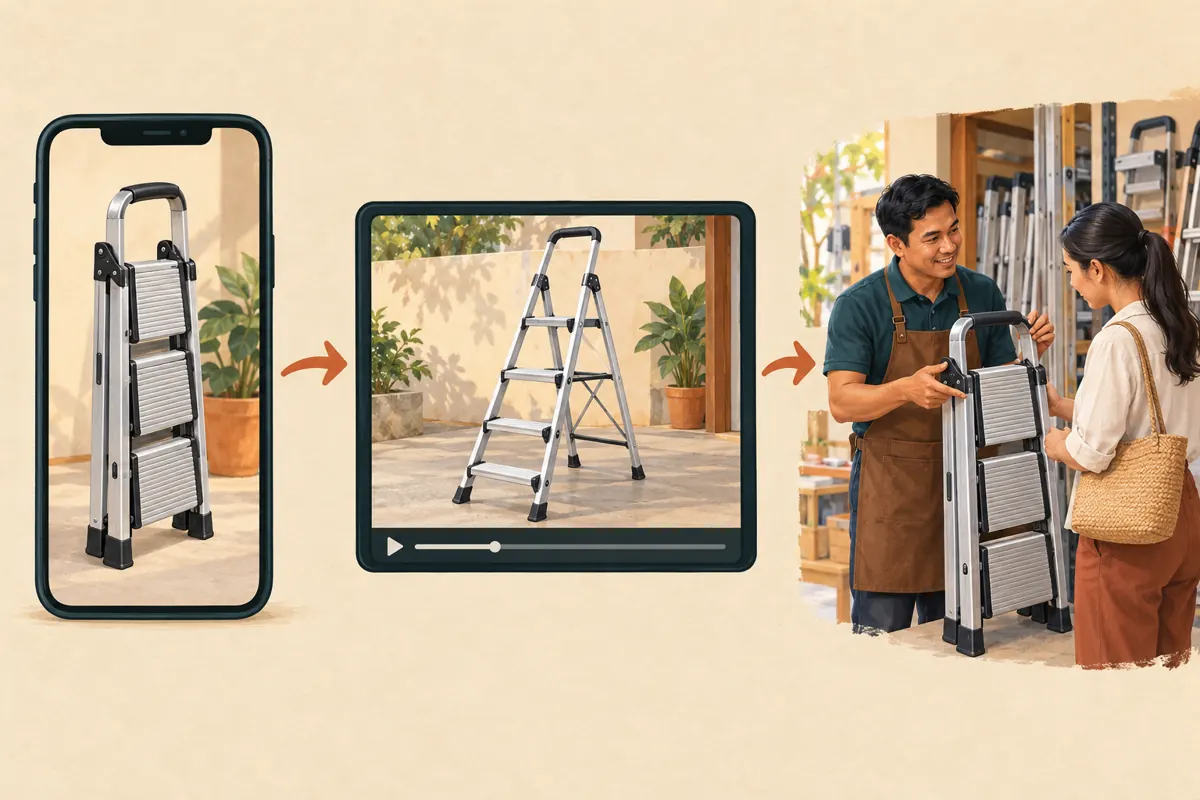
Attach the destination and test the actual route
The official setup sequence is brief: open YouTube Studio, select Content, open the Short, choose a Related Video from your channel and save. Afterwards, open the Short as a viewer and follow the connection. Confirm that it reaches the intended model demonstration and that the opening delivers the explanation promised.
YouTube’s link guidance distinguishes this feature from ordinary pasted URLs: URLs in Shorts descriptions and comments are non-clickable. Do not build instructions around tapping such a URL. During the review, ask a colleague who did not edit the clip to locate the next video without coaching. Their hesitation can reveal an unclear spoken instruction, an ambiguous destination title or a product mismatch that the editor has stopped noticing.
Check product continuity across both recordings
Similar ladders can look interchangeable on a phone. Compare the handle shape, step arrangement, feet and product identifier across the Short, destination thumbnail and full demonstration. If the shop sells several variants, make the distinction explicit. A viewer should not need to infer that the attractive compact model in the Short differs from the larger item being explained.
Keep a small pairing record with the Short title and URL, destination title and URL, model reference, language and review date. Add one sentence explaining why the destination fits. This is particularly useful when a shop owner approves the product information while an assistant handles editing. Before sharing the Short elsewhere, the assistant can check the pairing against the approved record rather than choosing a video from memory.
End the lesson with an enquiry customers can answer
After the demonstration, explain what information would help the shop respond. For this scenario, ask for the model reference, the intended task and whether the customer needs collection or delivery information. Request only details needed for the next conversation. Avoid asking people to publish their address or telephone number in a public comment.
Make local availability concrete without assuming every Cambodian viewer can collect from the same location. A hypothetical Phnom Penh shop could state its collection area and ask customers outside that area to confirm delivery arrangements privately. Keep availability and delivery promises current. A viewer who understands the product but cannot determine where to enquire has reached an unfinished destination, even if the video connection works perfectly.

Apply a separate decision gate to SMM-panel services
The supplied jkj-smm.com catalogue includes the exact public title “YouTube Views ~ Native Social Ads ~ Min 1M ~ 100k+/day ~ 0-12hrs ~ 𝐋𝐢𝐟𝐞𝐓𝐢𝐦𝐞”. Its description is empty. The title identifies a listing presented as a YouTube views service, but it does not establish how delivery works. Its advertising, volume, timing and duration wording should not be repeated as verified facts.
Ask for a clear explanation of the delivery method before making a decision. Do not infer official affiliation, Cambodian targeting or genuine interest from the name. YouTube’s fake-engagement policy prohibits artificial metric inflation and warns that a hired promoter’s actions can affect the channel. Reject methods that conflict with that policy. An unexplained service should remain unapproved; a useful video journey does not make an unknown promotion method acceptable.
Purchased engagement is not evidence of sales, ad delivery, Cambodian users or customer interest. Keep any service record separate from the question this workflow is designed to answer: can a prospective buyer find and understand the correct demonstration? If a supplier cannot explain its method, the shop can still improve and share its own educational content without placing an order.
Review understanding without inventing attribution
Choose a practical review question before sharing the pair: are people reaching the correct explanation, and what still confuses them? Record relevant customer questions in a simple log without unnecessary personal details. Distinguish a request about the open footprint from a delivery enquiry or a confirmed purchase. Each tells the shop something different.
In a hypothetical review, staff might notice repeated questions about whether the displayed measurement describes storage width or open width. That is a reason to clarify the demonstration. It is not proof that a particular promotion service produced the enquiries. If a customer voluntarily says they followed the Short, record that as self-reported information. Avoid assigning every subsequent message to the video merely because it arrived after sharing.
Maintain the connection when stock or explanations change
Review the pairing when a model changes, the destination becomes unavailable, or staff discover a material error. A Short may remain useful as an explanation even after its featured item leaves stock, but its invitation must still make sense. If the replacement video concerns another model, assess whether the Short itself now needs a clearer qualification or a new recording.
Common mistakes include linking to the latest upload automatically, choosing a destination because its thumbnail looks impressive, and changing the destination without telling the person answering enquiries. Assign one person to maintain the pairing record. After any change, repeat the viewer test and update the review date. This small maintenance habit helps prevent old promotional clips from sending customers into explanations the shop no longer stands behind.
Frequently asked questions
Should every ladder Short lead to the same demonstration?
Only when that demonstration answers the question raised by each Short. Several clips about one model may reasonably share a destination. A clip about storage dimensions and a clip comparing different mechanisms may need different follow-ups. Select for relevance, and write the reason in the pairing record so another staff member can review the choice.
What should we do if the related-video option is unavailable?
Check the channel’s advanced feature access against YouTube’s official guidance. Do not assume a panel purchase can unlock the feature. While resolving access, make the Short self-contained and use an accurate verbal reference to the demonstration’s title if helpful. Avoid telling viewers to tap a pasted URL in a Shorts description or comment.
Can we use an unlisted demonstration as the destination?
YouTube permits public or unlisted destinations for this feature. Before selecting an unlisted recording, review whether everything in it is suitable for the audience receiving the Short. A customer-facing connection should not lead to a rough internal review containing unapproved prices, private customer information or unresolved product claims. Prepare a clean demonstration before connecting it.
Does the related video have to be a long tutorial?
No. Choose enough explanation to resolve the promised question without unnecessary material. A focused follow-up can be more useful than a long shop tour. For this ladder scenario, the destination should make the relevant model and dimensions understandable. Length should follow the explanation rather than a belief that a longer recording automatically creates more demand.
Will a views service help customers follow the connection?
A service title cannot establish that outcome. More displayed engagement does not demonstrate that people understood the invitation, opened the destination or intended to buy. Review the delivery method and platform rules independently, then evaluate the video journey through direct testing and clearly described observations. Never present purchased engagement as evidence of local customer demand.
What if customers still ask questions already answered in the video?
Use the wording of their questions to improve the explanation. The answer may be hard to locate, spoken too quickly or attached to a measurement they interpret differently. Ask a colleague to watch without background knowledge and explain what they understood. Revise the unclear part, while continuing to answer customers courteously rather than treating the video as a substitute for service.
Explore the current service catalogue, create an account, or ask a specific question through support tickets.
- YouTube Help: Add a related video to your YouTube Shorts
- YouTube Help: Sharing links with your audiences
- YouTube Help: Fake engagement policy
Prepared with AI assistance. Illustrations explain the workflow and do not represent customer results.